Frontend Integration Overview
Integrate Nothing2Install app streaming into your website or mobile app using iframes and WebViews.
How N2I Streaming Works
Nothing2Install (N2I) streams graphics commands — not video frames — from the cloud to the end user's device. The user's own GPU performs the rendering locally. This approach eliminates the need for GPU hardware in the cloud, delivers lower latency than traditional video-based streaming, and produces pixel-perfect output with no compression artifacts.
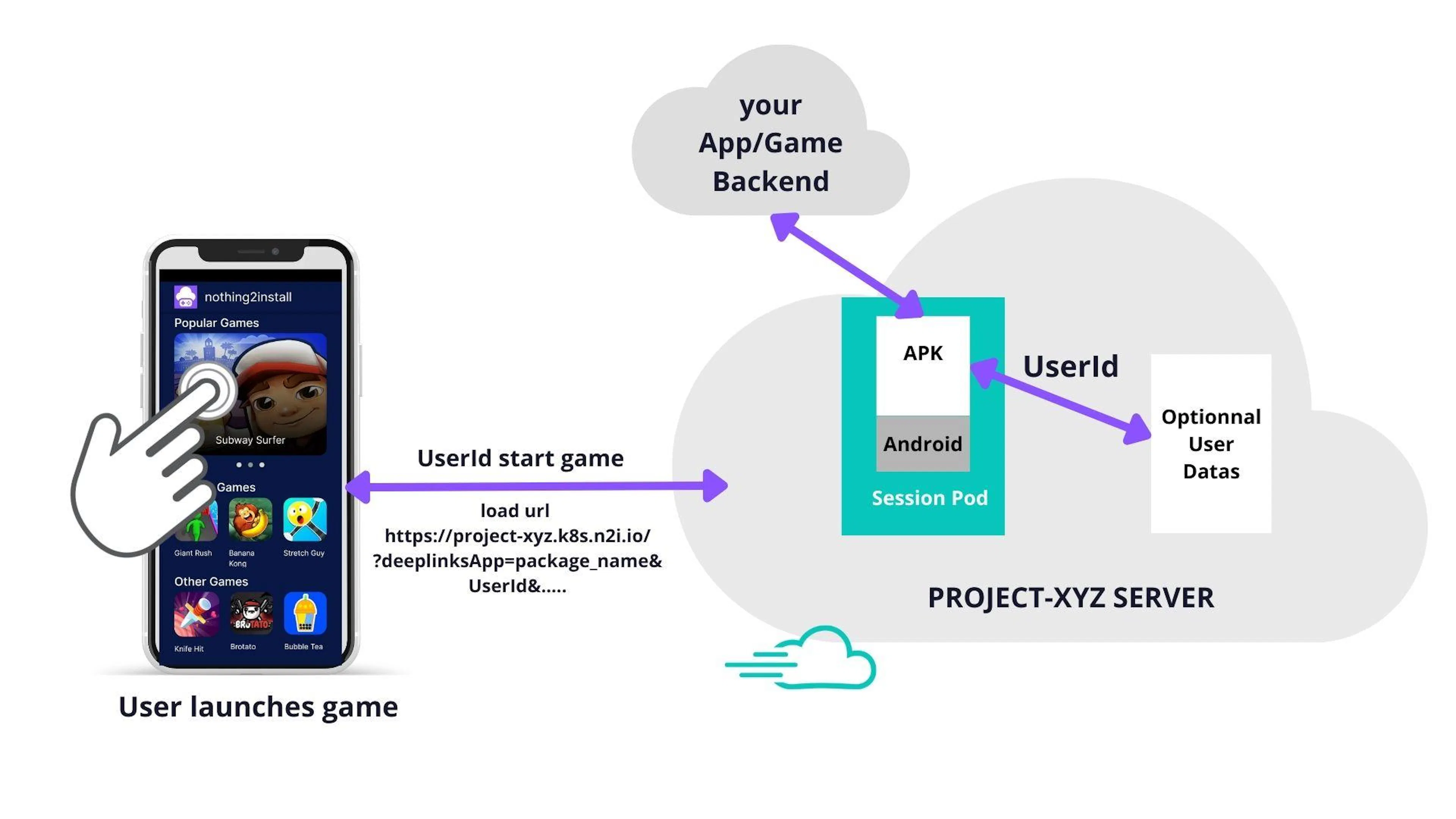
When a user launches an app or game:
-
Your client (website or native app) opens an N2I session URL in an iframe or WebView.
-
N2I routes the request to the nearest available server using GeoIP, then allocates a session for that user.
-
The server runs the Android APK in the cloud and streams graphics commands to the client.
-
The user's GPU renders the output locally in real time.
-
When the session ends, user state is saved to the database and the session is released.
Infrastructure
N2I deploys servers across multiple regions (US, Europe, Asia, Middle East). For multi-region projects, GeoIP routing automatically sends each user to the lowest-latency server. No configuration is required on your side.
Branding
By default, sessions run under the n2i-cloud.com domain. Two options are available to keep your own brand visible to users:
-
CNAME subdomain — Point a subdomain of your domain to N2I (e.g.,
play.yourdomain.com). N2I will serve streams from that subdomain. -
iframe embedding — Embed the N2I stream inside your own website. Users see your domain in the browser bar at all times.
Orientation
Match the iframe or WebView orientation to the app orientation:
-
Landscape app → landscape iframe/WebView
-
Portrait app → portrait iframe/WebView
A mismatch causes clipping or letterboxing. Use the autofitOnConnect parameter (see Sessions) to let N2I adapt automatically at launch.
Integration Guides
Follow these guides in order to implement a complete integration:
-
Client integration — Set up the iframe or WebView on the client side.
-
Sessions — Start, stop, and configure streaming sessions with URL parameters.
-
Communication — Exchange data between the streamed app and your client using intents, URLs, and deeplinks.
-
Events and API — Listen to N2I lifecycle events and call the runtime API from your client.
-
Monetization and login — Configure ads, in-app purchases, and social login.